
In the hyper-competitive digital landscape of the United States, your website is your storefront, your business card, and your primary sales channel. If you are running a business on WordPress, the foundation of that digital presence is your hosting environment. For serious entrepreneurs, e-commerce giants, and growing agencies, shared hosting no longer cuts it. It is time to buy managed WordPress hosting.
But what exactly are you paying for? Why is it significantly more expensive than the $3/month shared plans, and does it actually provide a return on investment (ROI)?
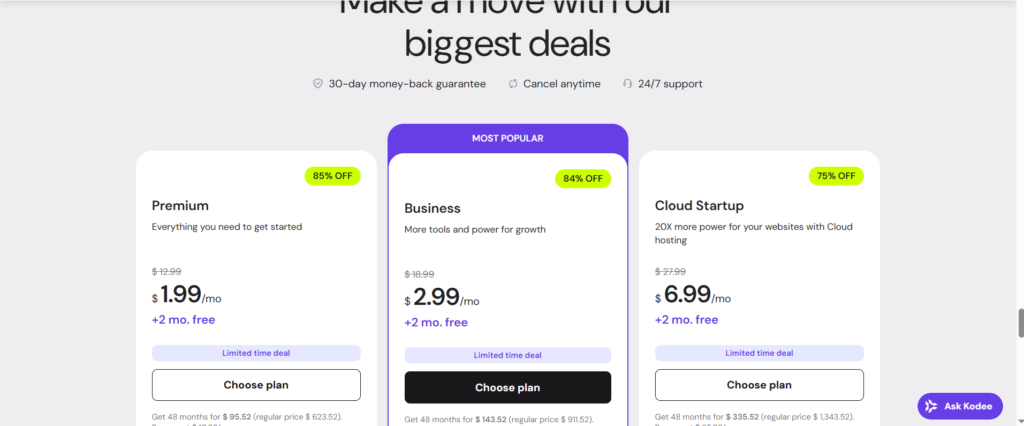
This comprehensive guide explores everything you need to know before you sign up for a managed hosting plan, tailored specifically for the US market where speed, data sovereignty, and 24/7 support are non-negotiable.
What is Managed WordPress Hosting?
Before you pull out the credit card to purchase managed hosting, it is crucial to understand the product.
Imagine shared hosting as renting a bunk bed in a crowded hostel. You share the bathroom, the kitchen, and the noise with dozens of others. If one person gets sick (a virus), everyone might catch it. If one person throws a party (high traffic), everyone else loses sleep.
Managed WordPress Hosting is like owning a luxury condo in a high-rise with a concierge service. You have your own dedicated resources, high-end security, and a team of experts (the concierge) who handle the maintenance, cleaning, and repairs.
The “Managed” Promise
When you buy managed WordPress hosting, the provider handles the technical “grunt work” of running a server, including:
- Daily Backups: Automated and stored off-site.
- Core Updates: WordPress core and PHP updates are tested and applied.
- Security: Proactive malware scanning and firewalls specifically configured for WordPress.
- Performance: Server-level caching (no need for bloated plugins).
Why US Businesses Are Rushing to Buy Managed Hosting
For companies operating in the United States, the decision to upgrade is often driven by three critical factors: Speed, Security, and Scalability.
1. Speed and Server Location (The “Coast-to-Coast” Factor)
Google’s Core Web Vitals update has made site speed a ranking factor. In a country as geographically vast as the US, latency matters.
When you subscribe to premium WordPress hosting, you typically get the option to choose your data center. Top-tier providers (like WP Engine, Kinsta, or Flywheel) offer Google Cloud Platform or AWS servers located in:
- Council Bluffs, Iowa (Central US)
- Moncks Corner, South Carolina (East Coast)
- The Dalles, Oregon (West Coast)
- Northern Virginia (East Coast)
Hosting your site on a server physically closer to your target audience reduces Time to First Byte (TTFB). If your customers are in New York, a server in Virginia will load significantly faster than one in Amsterdam or even Los Angeles.
2. Cybersecurity and Compliance
Cyberattacks on US businesses are at an all-time high. Managed hosts implement Web Application Firewalls (WAF) tailored to block SQL injections and brute force attacks common to WordPress.
Furthermore, for businesses dealing with California residents, CCPA (California Consumer Privacy Act) compliance is easier to manage when your host offers enterprise-grade security logs and data governance features.
3. Scalability for Traffic Surges
Whether it’s a Black Friday sale, a Super Bowl ad, or a viral blog post, US consumer traffic is burstable. Cheap shared hosting will suspend your account if you exceed CPU limits. Managed hosting platforms are built to scale instantly, absorbing traffic spikes without crashing your site.
Key Features to Look For When You Buy Managed WordPress Hosting
Not all managed hosts are created equal. When reviewing WordPress hosting pricing and plans, ensure the following features are included.
1. Staging Environments
This is a non-negotiable for professional workflows. A staging site is a clone of your live website where you can test new plugins, themes, or code changes safely. Once you verify that everything works, you can “push to live” with one click.
2. Integrated CDN (Content Delivery Network)
A CDN stores copies of your static assets (images, CSS, JS) on servers around the world. Even if your main server is in Texas, a user in Seattle will download images from a Seattle edge server. Top managed hosts include enterprise-grade CDNs (like Cloudflare Enterprise) in their monthly fee.
3. Automated Daily Backups & One-Click Restore
Disasters happen. You might accidentally delete a critical page, or a plugin update might break your checkout flow. Managed hosting allows you to roll back your site to a previous version in minutes, not days.
4. Expert Support (The “No Scripts” Rule)
When you buy managed services, you are paying for expertise. You want support agents who are WordPress developers, not generic call center reps reading from a script. Look for providers offering 24/7/365 support via chat or phone, ensuring that US holidays or after-hours issues don’t leave you stranded.
5. Free SSL and SSH Access
SSL certificates (the green padlock) should be free and auto-renewing. For developers, SSH (Secure Shell) access and WP-CLI integration are vital for managing the site via command line.
The Cost Analysis: Is It Worth the Price?
One of the biggest hurdles to purchasing managed WordPress hosting is the sticker shock.
- Shared Hosting: $3 – $10 / month
- Managed Hosting: $25 – $400+ / month
However, the “true cost” of cheap hosting is often hidden. Consider the following expenses associated with unmanaged hosting:
- Security Plugins: Premium security plugins cost $100-$200/year.
- Backup Services: VaultPress or similar services cost ~$60/year.
- Developer Hours: If your site goes down or gets hacked, how much does it cost to hire a developer to fix it? ($100-$150/hour in the US).
- Lost Revenue: If your e-commerce site loads 2 seconds slower, conversion rates drop by over 20%.
When you aggregate these costs, managed hosting deals often end up being cheaper annually, while freeing up your mental bandwidth to focus on growing your business.
Top Contenders in the US Market
While we won’t rank them numerically, these are the industry leaders you will encounter when you look to order WordPress hosting services.
WP Engine
The market leader. Based in Austin, Texas, they define the category. Known for robust architecture and their proprietory “EverCache” technology.
- Best for: General business, agencies, and high-traffic blogs.
Kinsta
Powered exclusively by Google Cloud Platform. They offer a highly intuitive dashboard (MyKinsta) that replaces cPanel.
- Best for: Performance obsessives and scaling e-commerce.
Flywheel
Now owned by WP Engine, Flywheel is designed specifically for creatives and agencies. Their workflow tools for freelancers are unmatched.
- Best for: Designers and creative agencies.
Liquid Web (Nexcess)
A powerhouse for WooCommerce. Their managed WooCommerce plans include specific optimizations for dynamic cart behavior.
- Best for: Heavy e-commerce stores.
How to Migrate to Your New Host
Once you decide to buy managed WordPress hosting, the next step is migration. Most premium providers offer free white-glove migration.
- Sign up for your chosen plan.
- Request a migration via their dashboard.
- Provide credentials (FTP/SFTP) for your old host.
- Wait for the email. The team will copy your site to a temporary URL.
- Test the site. Check every page on the temporary URL.
- Point DNS. Update your domain’s nameservers or A-records to point to the new host.
Pro Tip: Do not cancel your old hosting account until the DNS has fully propagated and you have confirmed the new site is live and stable.
Conclusion: Invest in Your Digital Foundation
The adage “you get what you pay for” has never been truer than in the world of web hosting. If your website is a hobby, shared hosting is fine. But if your website generates income, leads, or brand reputation, you cannot afford downtime or slow speeds.
To buy managed WordPress hosting is to invest in the longevity and professionalism of your business. It transforms your website from a technical liability into a high-performance asset.
Ready to upgrade? detailed comparisons of pricing, review the server locations nearest to your customers, and choose a partner that supports your growth. Your future self (and your customers) will thank you.
Frequently Asked Questions (FAQ)
Q: Can I host email on managed WordPress hosting?
A: Typically, no. Providers like Kinsta and WP Engine focus 100% on the application (website). They recommend using Google Workspace or Microsoft 365 for professional email, which is a better practice for deliverability anyway.
Q: Is managed hosting good for SEO?
A: Absolutely. Google favors secure (HTTPS), fast-loading, and mobile-responsive sites. Managed hosting optimizes the infrastructure for all these metrics directly out of the box.
Q: What happens if I go over my visit limit?
A: Most US providers will not shut down your site. They will either ask you to upgrade to the next tier or charge a small “overage fee” per 1,000 visits (usually around $1).